Free app · by Ace My Prep
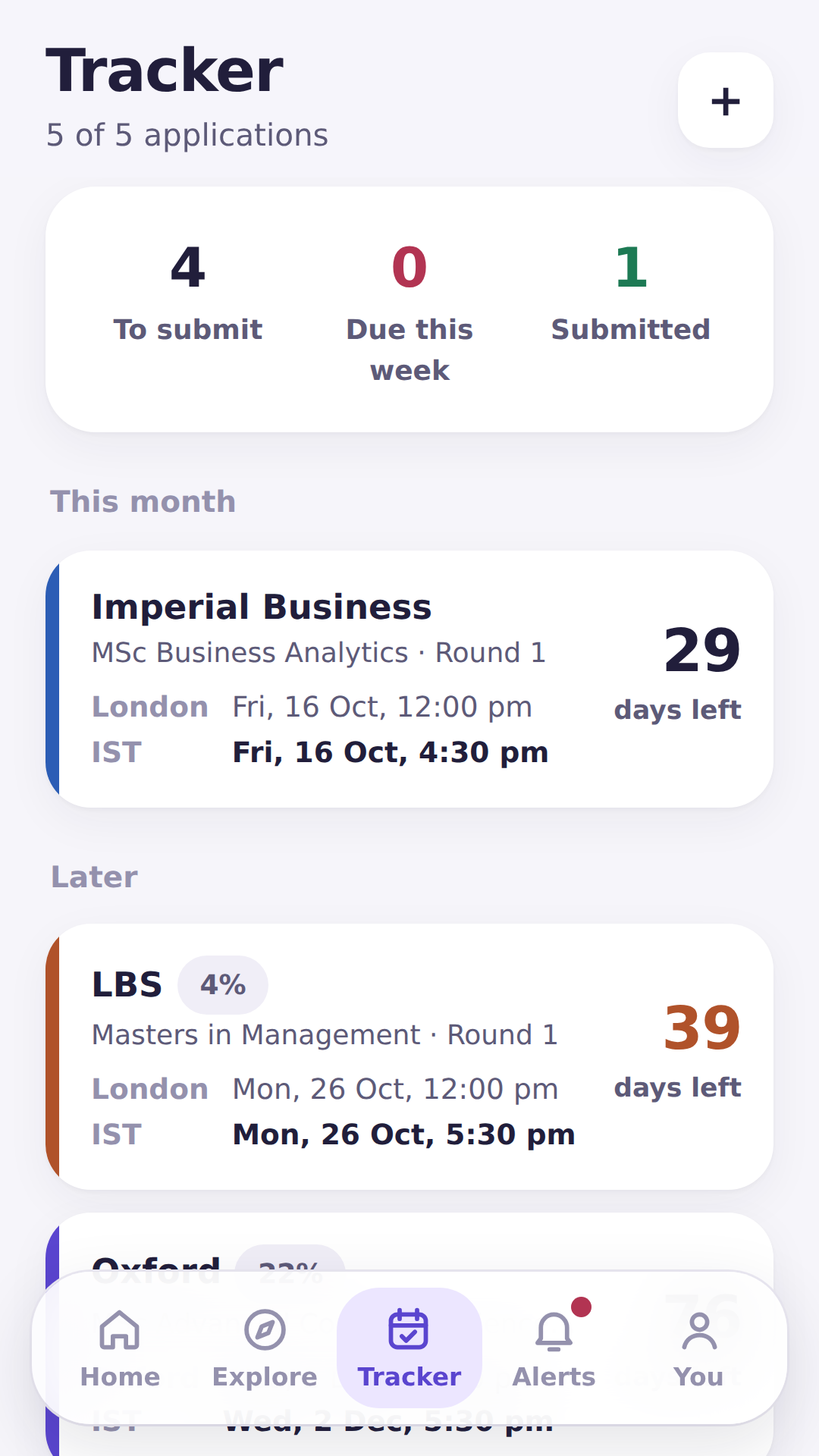
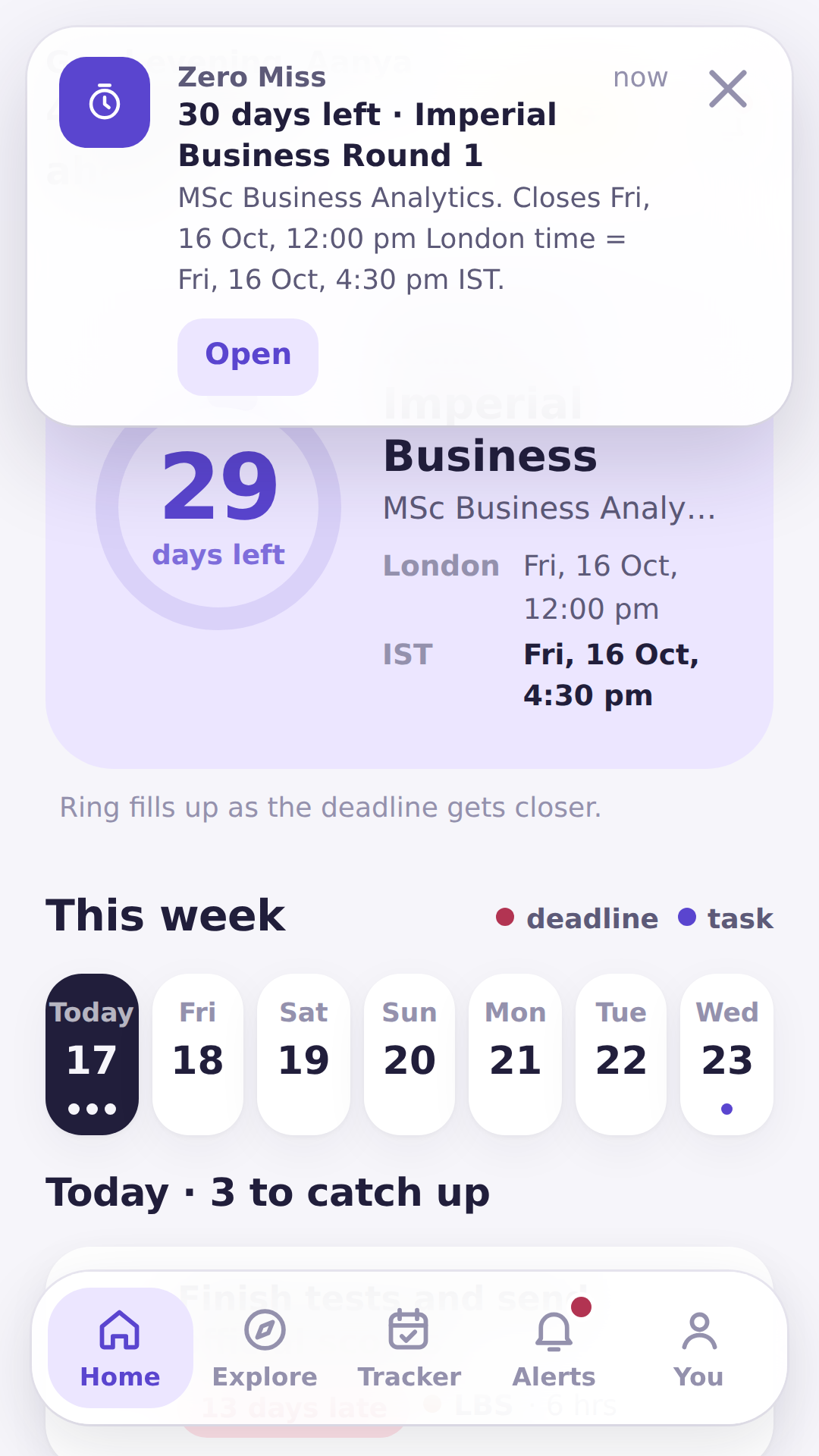
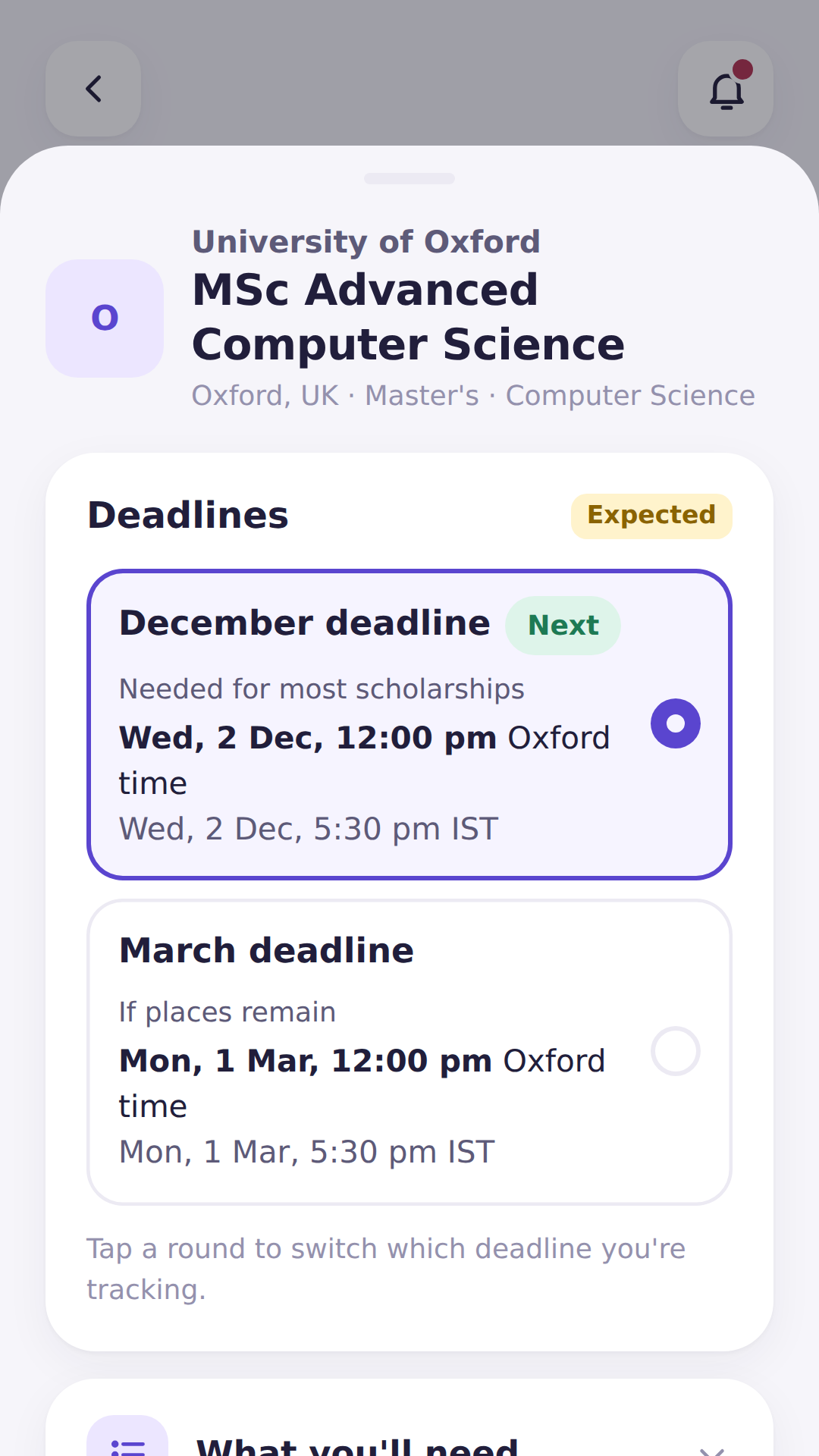
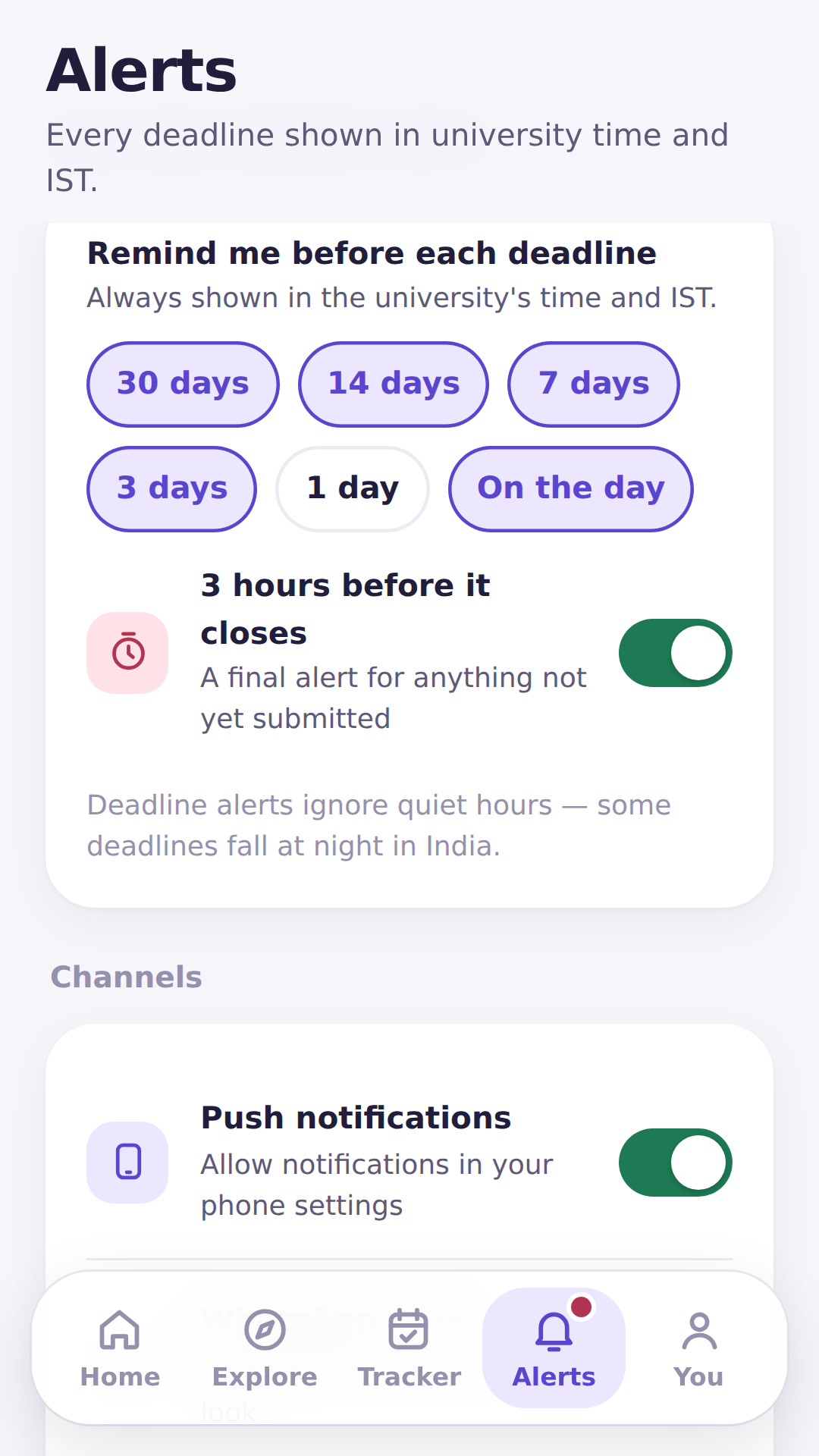
Zero Miss keeps every application deadline in one place and reminds you a week before, 3 days before and on the day — in the university's time and in IST.
On iPhone? Open the app in Safari and tap Share → Add to Home Screen.
Why students use it
Built for the month when you have eight applications, three time zones and one very full calendar.
A week before, 3 days before, on the day, and 3 hours before it closes. Add 30- or 14-day alerts if you like.
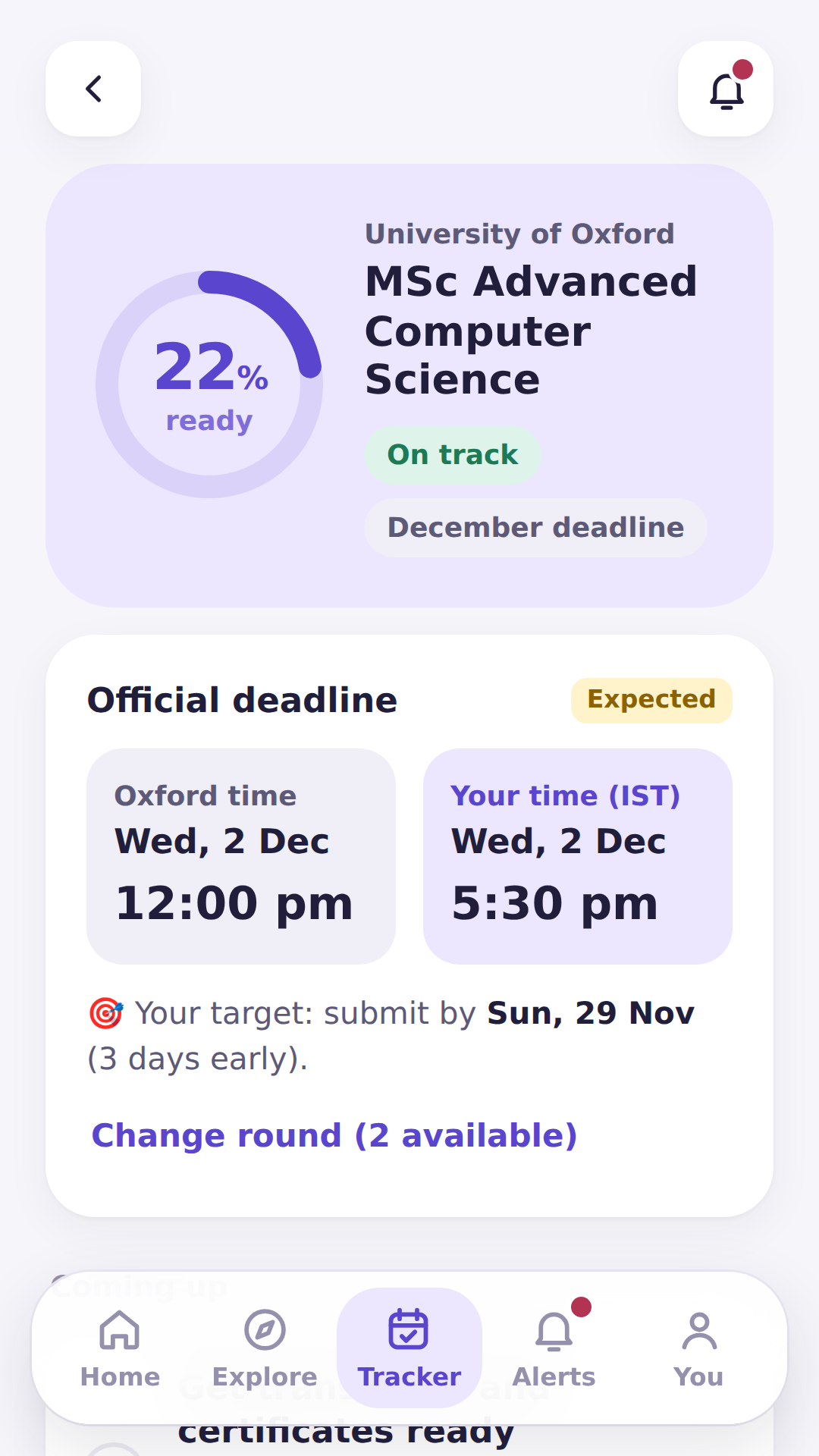
"12:00 pm Oxford time = 5:30 pm IST." US deadlines that fall past midnight in India are flagged the evening before.
Round 1, Round 2, Early Decision, scholarship deadlines — with a colour for each application.
Transcript rules, tests, fees and interviews — plus country requirements like Germany's APS certificate.
Turn on a step-by-step plan for any application: tests, recommenders, SOP drafts, forms and uploads.
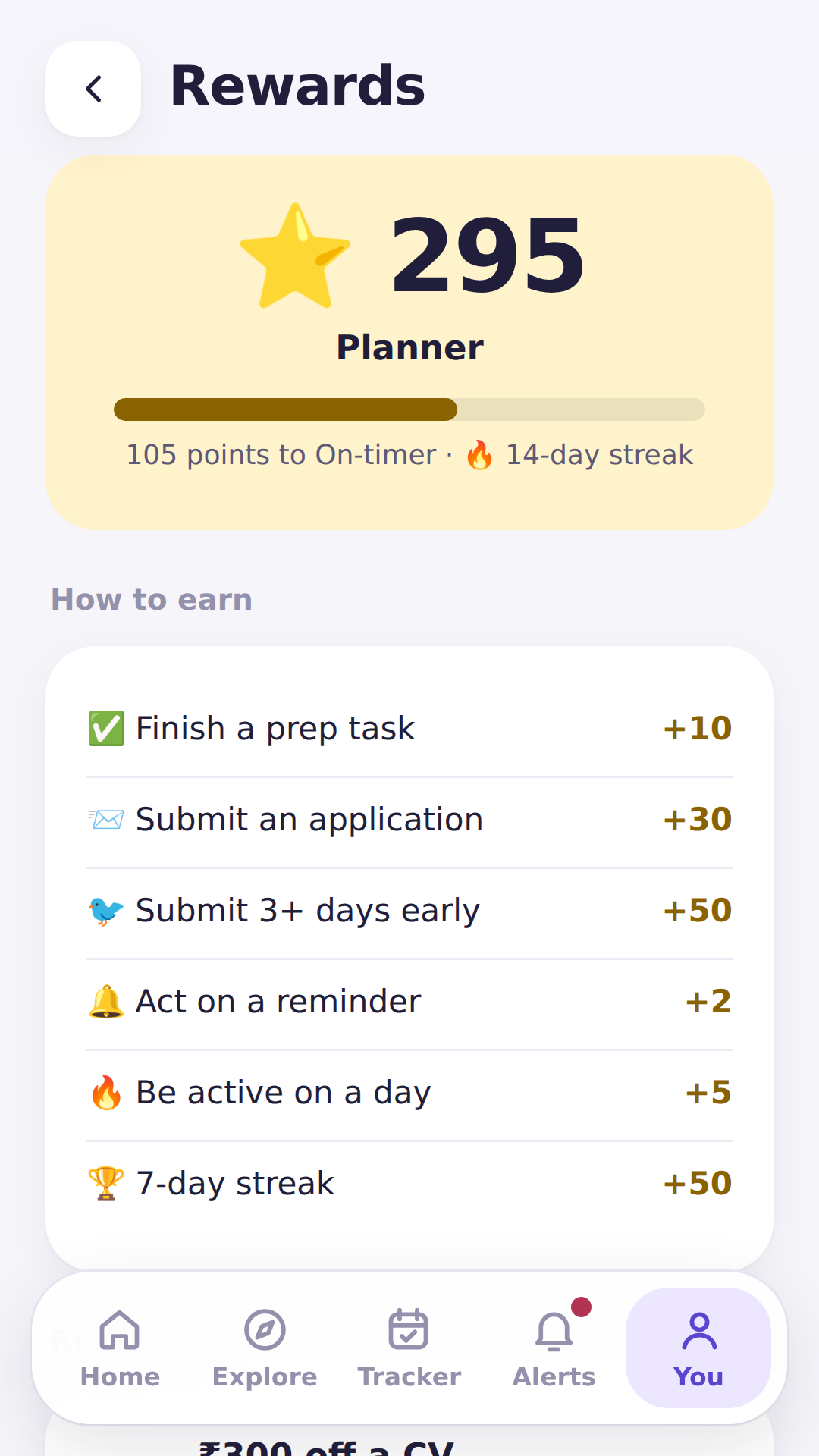
Earn points for finishing tasks and submitting early, then redeem them for money off expert reviews.
Reminders
Choose when you hear from us. Mute a university, a whole course area or a type of task. Deadline alerts still get through quiet hours.
How it works
Bachelor's, Master's or MBA, the countries you like and your course areas.
We recommend programs for your profile and select the next open round for you.
Get alerts before every deadline and tick "submitted" when you're done.


Get Zero Miss
Free to start. Your progress stays on your own device.
The Android app is on its way to Google Play. Until then, install it in one tap.
Coming soon onGoogle PlayDeadlines marked "Expected" follow last year's pattern until the university publishes this cycle's date. Always confirm on the official website — every program links to it.
FAQ
Yes. Tracking up to 5 applications with deadline reminders is free. Pro adds unlimited applications, school insights, WhatsApp alerts and AI essay checks.
70+ popular Bachelor's, Master's and MBA programs across the USA, UK, Canada, Europe, Singapore, Australia and India, with more added regularly.
Yes. Open it in Safari and add it to your home screen — it then opens like any other app.
On your own device. There's no sign-up and we don't upload your applications. See the app privacy policy.
That's what Ace My Prep does. Start with a free profile check or see our full application support.
Yes — a counselor dashboard is in the works. Write to hello@acemyprep.com.